eSignature Security: How Signed Documents Are Protected
 Vatsal GotiLast Updated: Oct 21, 2026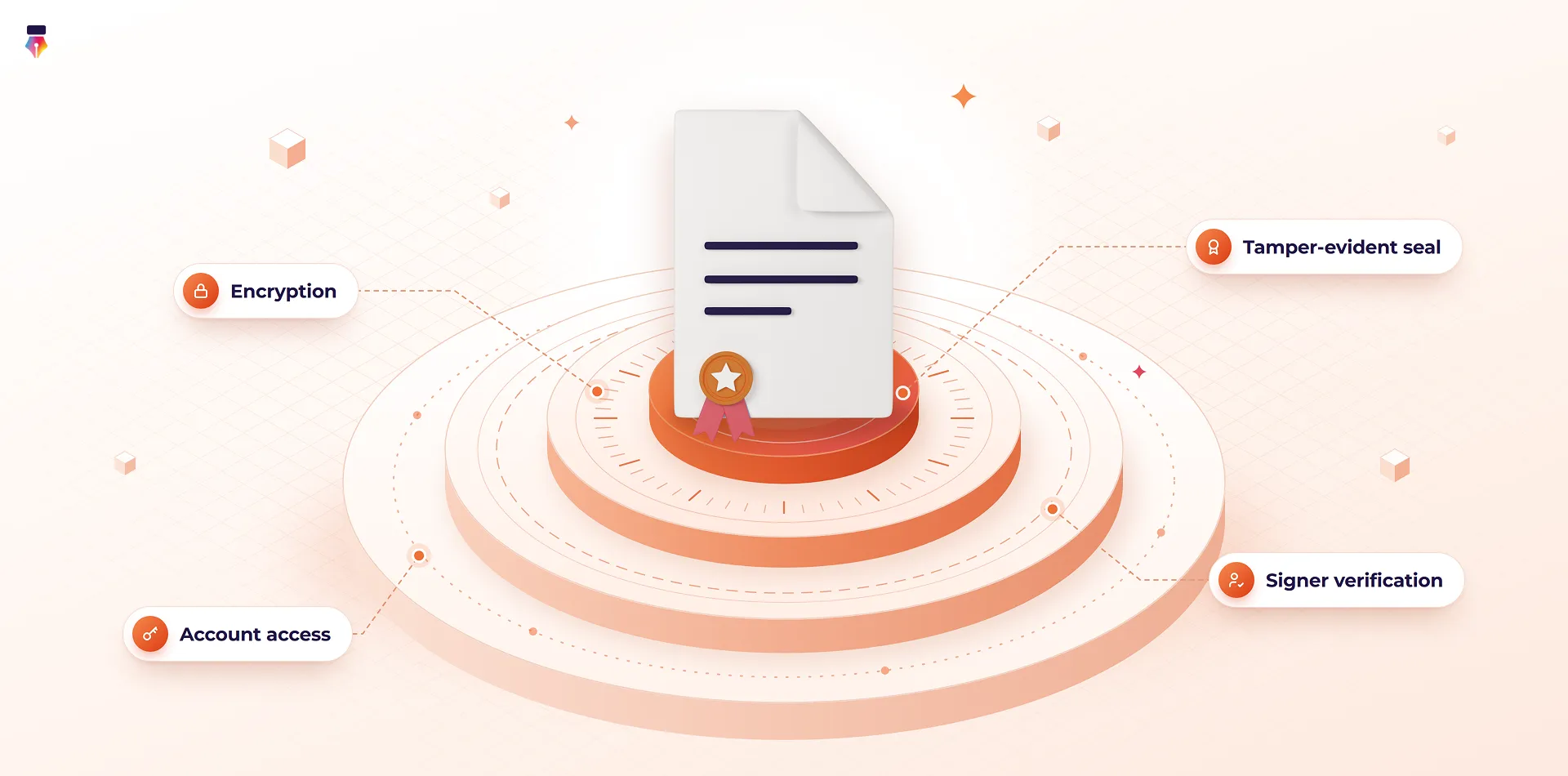
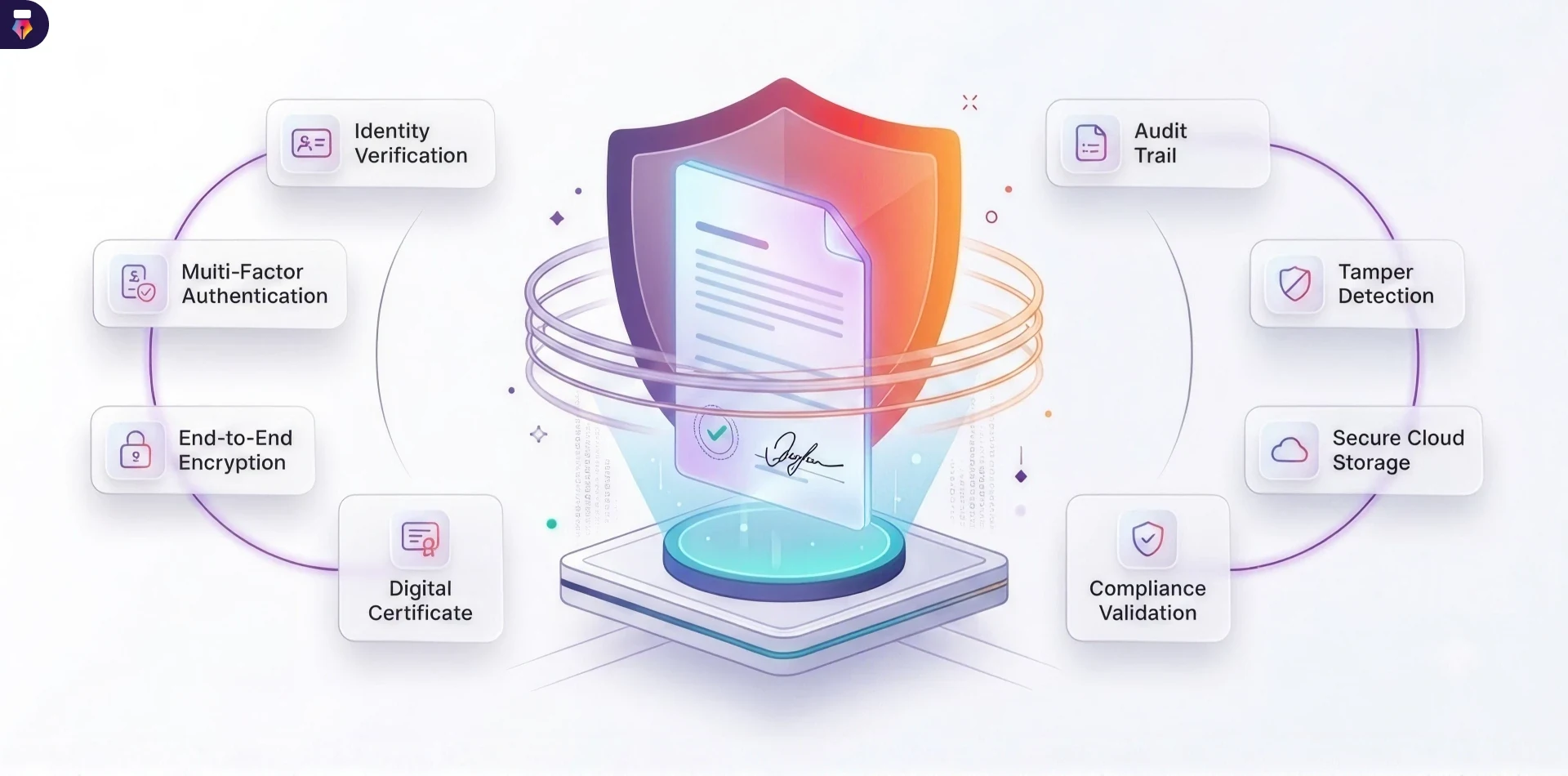
eSignature security is what lets a signed document be trusted long after the signing is over. When a contract is questioned a year later, three things need to hold up: the document was not read by anyone who should not have seen it, the right person signed it, and nothing changed after they did. This guide explains the protections that make each of those true, in the order a document meets them, from upload to long-term storage.
It is written for IT teams, security reviewers and buyers who need to judge a signing platform on its merits. For the specific controls behind Inkfree, see Inkfree's security architecture.
What Does eSignature Security Protect?
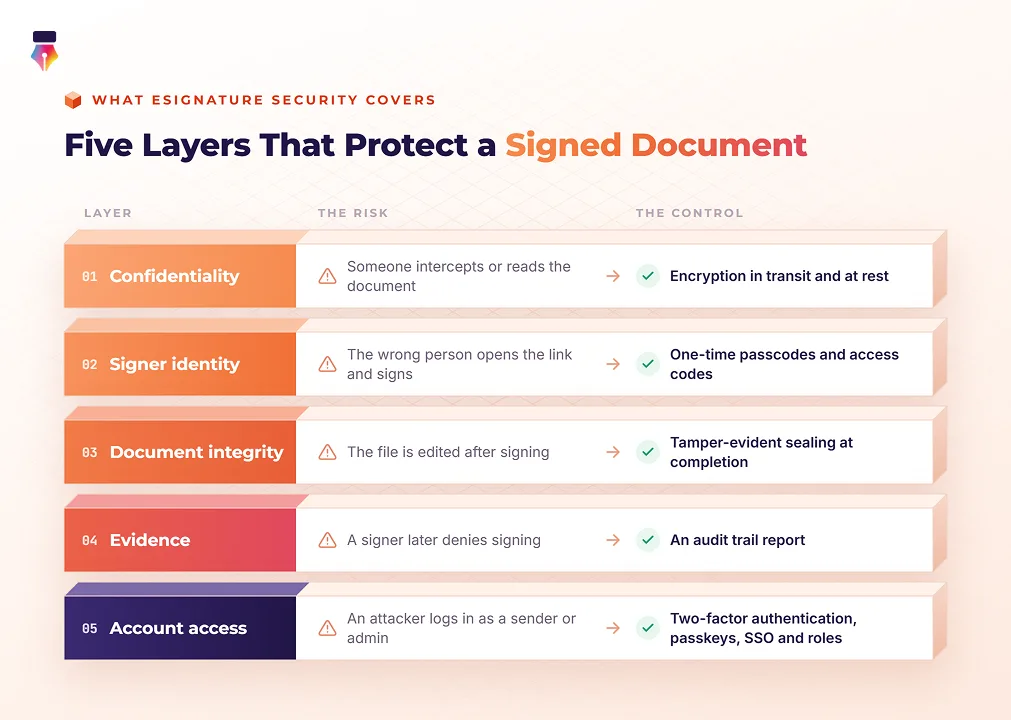
eSignature security protects four things: the confidentiality of the document, the identity of the signer, the integrity of the signed file, and the evidence that proves all three. A platform that is strong on one and weak on another still leaves a gap, so it helps to look at each layer separately.
| What must hold up | The risk | The control that addresses it |
|---|---|---|
| Confidentiality | Someone intercepts or reads the document | Encryption in transit and at rest |
| Signer identity | The wrong person opens the link and signs | One-time passcodes and access codes |
| Document integrity | The file is edited after signing | Tamper-evident sealing at completion |
| Evidence | A signer later denies signing | An audit trail report |
| Account access | An attacker logs in as a sender or admin | Two-factor authentication, passkeys, SSO and roles |
How Secure Are Electronic Signatures?
Electronic signatures created on a well-built platform are more secure than paper signatures or signature images, because every signing is tied to a verified person, a sealed file and a timestamped record. A handwritten signature proves little on its own, and a pasted signature image proves even less, which is why a scanned signature is not secure: anyone who has the image file can reuse it.
What makes electronic signature security strong is not the signature mark itself. It is everything recorded around it. A secure platform knows how the signer reached the document, what they verified before opening it, when each action happened, and whether the file has changed since. That context is what turns a name on a page into evidence.
The strength still depends on how the platform is configured. A link sent to a shared inbox with no verification is weaker than one protected by a passcode, so the sections below cover the settings that matter, not just the features that exist.
How Encryption Protects Signed Documents
Encryption keeps a document unreadable to anyone who intercepts it or reaches the storage behind it. Secure document signing needs it in two places, because a document spends time both moving across networks and sitting on servers.
Encryption in Transit
Every upload, signing page and notification should travel over TLS, the same protocol that protects online banking. Inkfree uses TLS 1.2 or higher for all traffic, so someone watching the network sees scrambled data rather than a contract.
Encryption at Rest
Stored documents should be encrypted with a strong, standard algorithm. Inkfree encrypts stored documents with AES-256, which is widely used by banks and governments and has no known practical attack. If someone reached the storage layer, they would find encrypted data, not readable agreements.
Key Management
Encryption is only as strong as the handling of its keys. Keys should be managed separately from the documents they protect, and access to the systems that hold them should be logged. In Inkfree, keys are kept apart from document storage and system access is logged. For the details, see how encryption works in Inkfree.
Verifying Who Signs a Document
A signing link proves that someone can open an inbox. It does not prove that the right person is the one clicking. Signer verification closes that gap by asking for something only the intended signer should have before the document opens.
Link-Only Access
With no extra verification, the emailed link opens the document directly. That is reasonable for routine internal paperwork sent to company inboxes you already trust. It is the wrong choice for anything external or sensitive, because a forwarded email is enough to reach the document.
One-Time Passcodes
A one-time passcode (OTP) is a short code sent to the signer by email or text message at the moment they try to open the document. It proves the signer controls that mailbox or phone right now, not just that someone received a forwarded link at some point.
Access Codes
An access code is set by the sender and shared through a different channel, such as a phone call or a chat message. The signer needs both the email and the code, so intercepting the email alone gets an attacker nowhere. This is the strongest option for high-value or external agreements.
Matching Verification to Risk
| Document type | Sensible verification level |
|---|---|
| Routine internal acknowledgments | Link only |
| Agreements with external parties | One-time passcode |
| High-value contracts or sensitive records | Access code shared by phone or chat |
In Inkfree, OTP and access codes are set per signer. Whichever level you choose, successful verification is recorded in the audit trail.
How Tamper Evidence Keeps a Signed Document Trustworthy
Tamper evidence means that any change to a signed document is detectable, even a single character. It is what lets someone open a contract years later and know it says exactly what the parties agreed to.
The mechanism is a cryptographic seal applied when the request completes. The platform calculates a fingerprint of the finished file, called a hash, and binds it to the document with digital signature technology. Any later edit produces a different fingerprint, so the seal no longer matches and the change shows. Inkfree applies this seal the moment the final signature is added.
Tamper evidence does not stop someone from editing a copy of a PDF. It makes sure the edit cannot pass as the original. For a dispute, that distinction is what matters.
What an eSignature Audit Trail Records
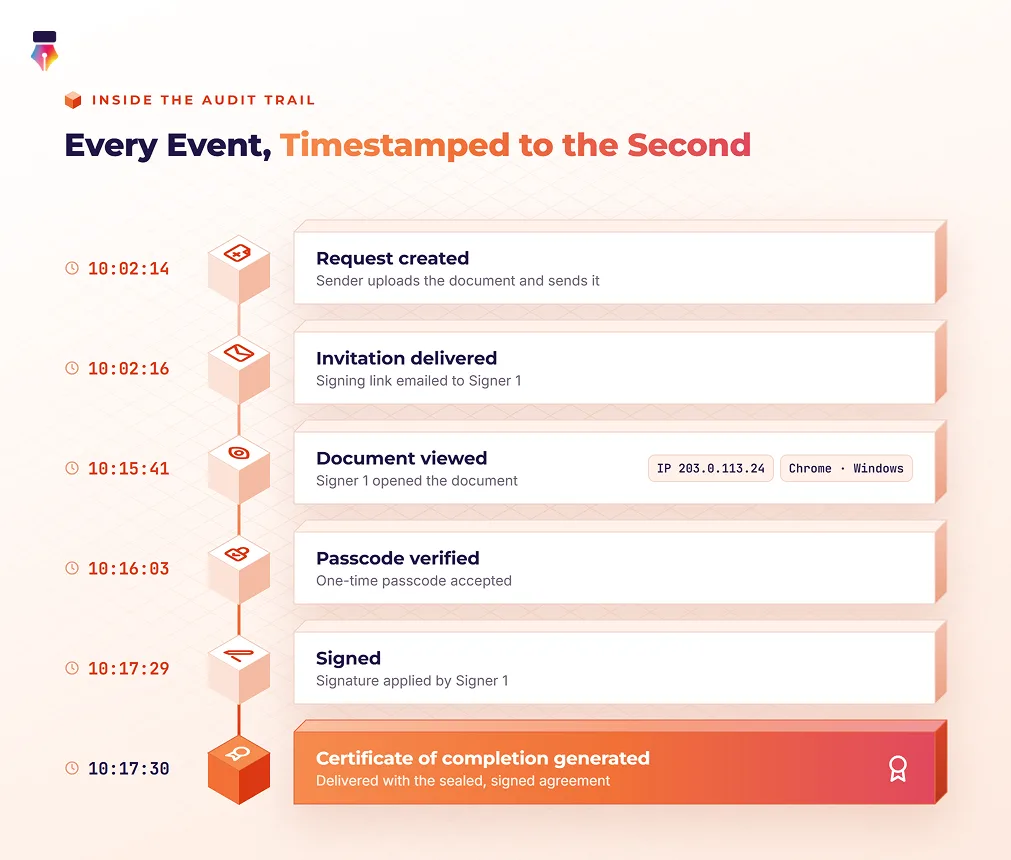
An audit trail is the timestamped history of everything that happened to a document, and it is the evidence you reach for when a signature is questioned. A useful audit trail records who did what, when, from where, and how they were verified.
In Inkfree, the audit trail captures:
- Who created the request and when it was sent
- When each signer opened the document, with IP address
- Verification events, such as a successful passcode or access code check, and when the attempt limit is reached
- Each approval, signature, decline, delegation and resend, timestamped to the second
When the last signature is added, Inkfree generates an audit trail report that is delivered with the signed agreement. Completed documents and audit trails are not deleted when you downgrade. Each event is also sealed into a hash chain as it is recorded, so you can verify that the trail has not been altered.
Protecting the Accounts That Send Documents
Signer verification protects the recipient side. The sender side needs protection too, because anyone who takes over a sender or admin account can send documents in the company's name or read what was signed.
Two-Factor Authentication and Passkeys
Two-factor authentication asks for a code from an authenticator app after the password, so a stolen password alone does not open the account. Passkeys go further by replacing the password with the device's fingerprint, face or PIN. Because a passkey only works on the real site, a lookalike phishing page gets nothing from it. Inkfree supports both, and admins can require two-factor authentication for every member.
Single Sign-On
Single sign-on (SSO) connects the signing platform to the identity provider a company already uses. In Inkfree, admins can enforce SSO for everyone on the company's email domains, so access follows the same rules as every other business application.
Roles and Least Privilege
Not everyone who sends documents should be able to edit templates, change billing or see every agreement. Role-based access gives each person only the permissions their job requires. In Inkfree, admins can build custom roles with specific permissions for sign requests, templates, contacts and billing.
Password and Session Policies
Old passwords and idle sessions left open on a shared or unlocked device are an easy way in. Organization-wide password expiry policies and automatic sign-out of idle sessions help close that gap without depending on each person's habits.
Why Security and Legal Validity Go Together
Security and legality are two sides of the same question: can this signature be relied on? Laws such as the ESIGN Act and UETA in the United States and eIDAS in the European Union give electronic signatures legal effect, but a signature still has to be defended with evidence of intent, consent, and a reliable record. The encryption, verification, sealing and audit trail covered above are what supply that evidence.
This guide covers the security half. For the legal side of the same question, including what makes an electronic signature binding, see the legal guide.
An eSignature Security Checklist for Reviewers
When an IT or security team reviews a signing platform, these are the questions that separate strong electronic signature security from a signature box on a web page.
| Question to ask | What a strong answer looks like |
|---|---|
| How is data protected in transit? | TLS 1.2 or higher on all traffic |
| How are stored documents protected? | AES-256 encryption, with keys managed separately from storage |
| How is the signer verified? | Per-signer choice of one-time passcode or an access code shared out of band |
| How is tampering detected? | A cryptographic seal applied when the request completes |
| What evidence is kept? | An audit trail report for every document |
| How are sender accounts protected? | Two-factor authentication, passkeys, SSO and enforceable security policies |
| Who can see what? | Role-based access with custom permissions |
| What happens to records if you downgrade or leave? | Documents are not deleted on downgrade, and an account deletion request starts a 30-day cooling-off period |
Keeping Signed Documents Secure Over Time
Good eSignature security is not a single feature. It is a chain that runs from the moment a document is uploaded to the day someone needs to prove what was signed, and each link covered in this guide carries part of the load.
A few habits keep that chain intact on your side: match signer verification to the value of the document, require two-factor authentication for everyone who sends, give people only the access their role needs, and download the audit trail report for major agreements alongside the signed file. To see how these controls fit together in practice, explore Inkfree's security architecture.
Questions, answered.About how eSignature security protects documents from sending to storage
Electronic signatures on a well-built platform are more secure than paper or scanned signatures. Each signing is protected by encryption, tied to a verified signer through a one-time passcode or access code, sealed on completion, and recorded in a timestamped audit trail that shows who signed, when, and how they were verified.
When the request completes, the platform seals the final document with a cryptographic fingerprint using digital signature technology. Any later change, even a single character, breaks the seal and makes the edit detectable. Tampering with a copy is still possible, but the altered copy can no longer pass as the original signed document.
A one-time passcode is sent to the signer by email or text message when they open the document, proving they control that inbox or phone at that moment. An access code is set by the sender and shared through a separate channel, such as a phone call, so intercepting the signing email alone is not enough to open the document.
An audit trail records the full history of a document: when it was created and sent, each view with IP address, verification events such as passcodes entered, and every signature, approval and decline with a timestamp. In Inkfree, it is packaged with the signed file in an audit trail report.
No. Encryption keeps a document private in transit and in storage, but it does not prove who signed or whether the file changed afterward. Strong eSignature security combines encryption with signer verification, tamper-evident sealing, an audit trail, and protected sender accounts, because each layer covers a risk the others do not.
Check that traffic uses TLS 1.2 or higher, stored documents use AES-256 encryption, signers can be verified with passcodes or access codes, completed documents are sealed against tampering, every document has an audit trail, sender accounts support two-factor authentication and SSO, access is role-based, and the vendor can describe its independent security audits.